Industrial automation panels usually need one of two pieces: a controller that runs the logic, or an operator interface that lets people interact with the machine. If you are deciding between the AutomationDirect P1-550 programmable controller CPU and the Siemens SIMATIC HMI KTP700, the first thing to recognize is that these two components do different jobs. This head-to-head helps you pick the one that belongs in your build.
Quick verdict
Choose the AutomationDirect P1-550 when your machine needs the central processing unit and you want a compact controller CPU with a broad mix of ports. Choose the Siemens SIMATIC HMI KTP700 when your operators need an operator interface and you are already working with a Siemens SIMATIC control system.
At a glance
| What matters | AutomationDirect P1-550 CPU | Siemens SIMATIC HMI KTP700 |
|---|---|---|
| Price | USD 211.65 | USD 614.00 |
| Component role | Programmable controller CPU | HMI |
| Controller platform | Automate | S7/300 |
| Notable extras | 50 MB ladder memory, microSD, Ethernet, RS-232, RS-485, micro-B USB | Touchscreen interface, AC current type |
| Country of origin | United States | Germany |
| Price position |
Where each product wins
- AutomationDirect P1-550 wins on price and controller connectivity. This CPU gives you a wide set of communication ports for the lower-priced position in this pairing. If the missing piece is the processor that runs the machine, this is the component to start with.
- Siemens SIMATIC HMI KTP700 wins on being the operator-facing display. This is the part designed for visual interaction. If your cabinet needs an interface rather than more processing power, the KTP700 is the product that answers that need.
Product notes
AutomationDirect P1-550 Programmable Controller Productivity1000 CPU
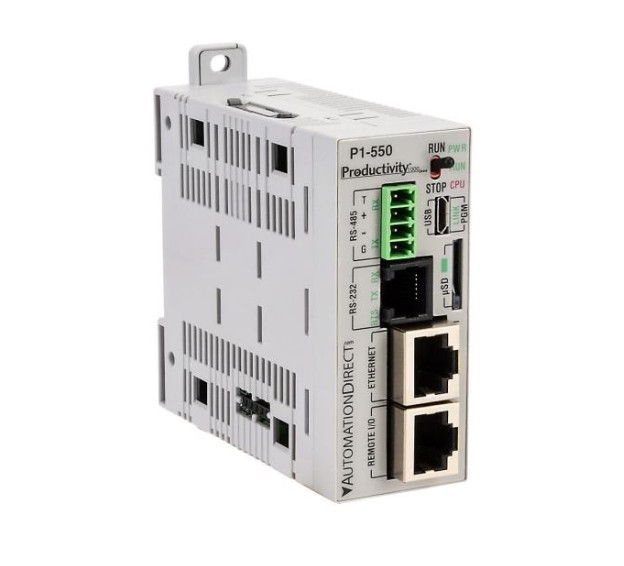
The P1-550 is the processor-focused option in this matchup, built for the Productivity1000 family and running on the Automate controller platform. It provides up to 50 MB of ladder memory, a microSD card slot, two Ethernet 10/100Base-T ports, one RS-232 port, one RS-485 port, and one micro-B USB port. A battery is included, and the CPU requires external 24 VDC power, so that supply needs to be part of the panel design. The strongest reason to choose it is the practical spread of communication ports in a single processor unit. The limitation to keep in mind is the role: this is the CPU, so if operators also need an operator interface, that display component would be separate from this purchase.
Siemens SIMATIC HMI KTP700 Touch Screen
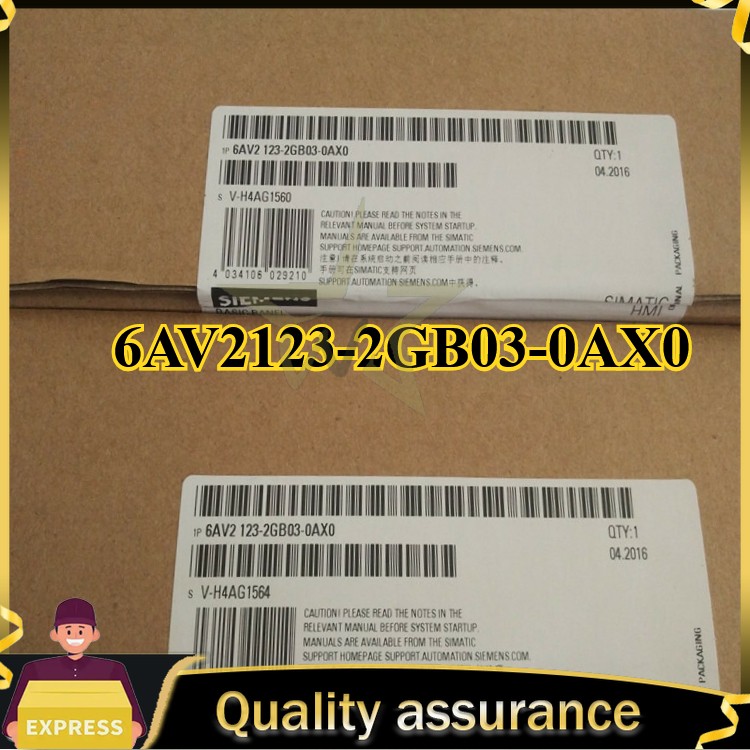
The KTP700 is the operator-interface option here. It is a Siemens SIMATIC HMI tied to the S7/300 controller platform, with AC listed as the current type and firmware revision V02 20. The strongest reason to choose it is the HMI function itself: this component is designed for operators to view machine status and interact by touch, while the actual logic processing stays with the controller. Its German origin and Siemens SIMATIC naming make it a specific fit for Siemens-based panels. The limitation is that an HMI does not replace a PLC CPU. If your system still needs the processing brain, the P1-550 would be the component covering that role; the KTP700 covers the display side.
Final choice by use case
If you are starting a control cabinet and need the processor that will execute the machine logic, choose the AutomationDirect P1-550. It gives you the controller CPU role and a broad set of communication options.
If you already have a controller and need a way for operators to interact with the machine, choose the Siemens SIMATIC HMI KTP700. The HMI is the piece that turns the cabinet into a usable operator station.
In short, pick the P1-550 for the brain of the machine, and pick the KTP700 for the face of the machine.