Choosing among microcontrollers & dev boards often comes down to a practical fork: do you want a bundle aimed at building something physical, or a focused setup for learning one programming ecosystem? The ESP32 Robotics Kit SLATE Board leans toward robotics and IoT projects, while the Microchip PICkit 2 Starter Kit centers on PIC programming and debugging. The right pick depends on whether sensors and motion or a defined demo-board workflow is the priority.
Quick verdict
Choose the ESP32 Robotics Kit SLATE Board when a robotics or IoT build is the priority and a physical project orientation matters. Choose the Microchip PICkit 2 Starter Kit when the goal is a PIC-focused learning path built around programming, debugging, and a demo board. The absolute price spread is $35, so the intended project should lead the decision rather than the number alone.
At-a-glance comparison
| Kit | Price | Condition | Stated direction |
|---|---|---|---|
| ESP32 Robotics Kit SLATE Board | USD 45.00 | Used | Robotics / IoT / Arduino project |
| Microchip PICkit 2 Starter Kit | USD 80.00 | New | PIC programming and debugging |
Where each kit wins
- ESP32 Robotics Kit SLATE Board: The stronger match for a hands-on robotics build. Its package is organized around an ESP32 development board, sensor modules, a motor driver, motors, a chassis, wheels, battery, and wiring, giving a project builder several physical elements to work with.
- Microchip PICkit 2 Starter Kit: The clearer fit for structured PIC development. The kit pairs a USB programmer/debugger with a low-pin-count demo board and PIC16F690 microcontroller, while its learning purpose includes tutorials and example projects.
Product notes
ESP32 Robotics Kit SLATE Board
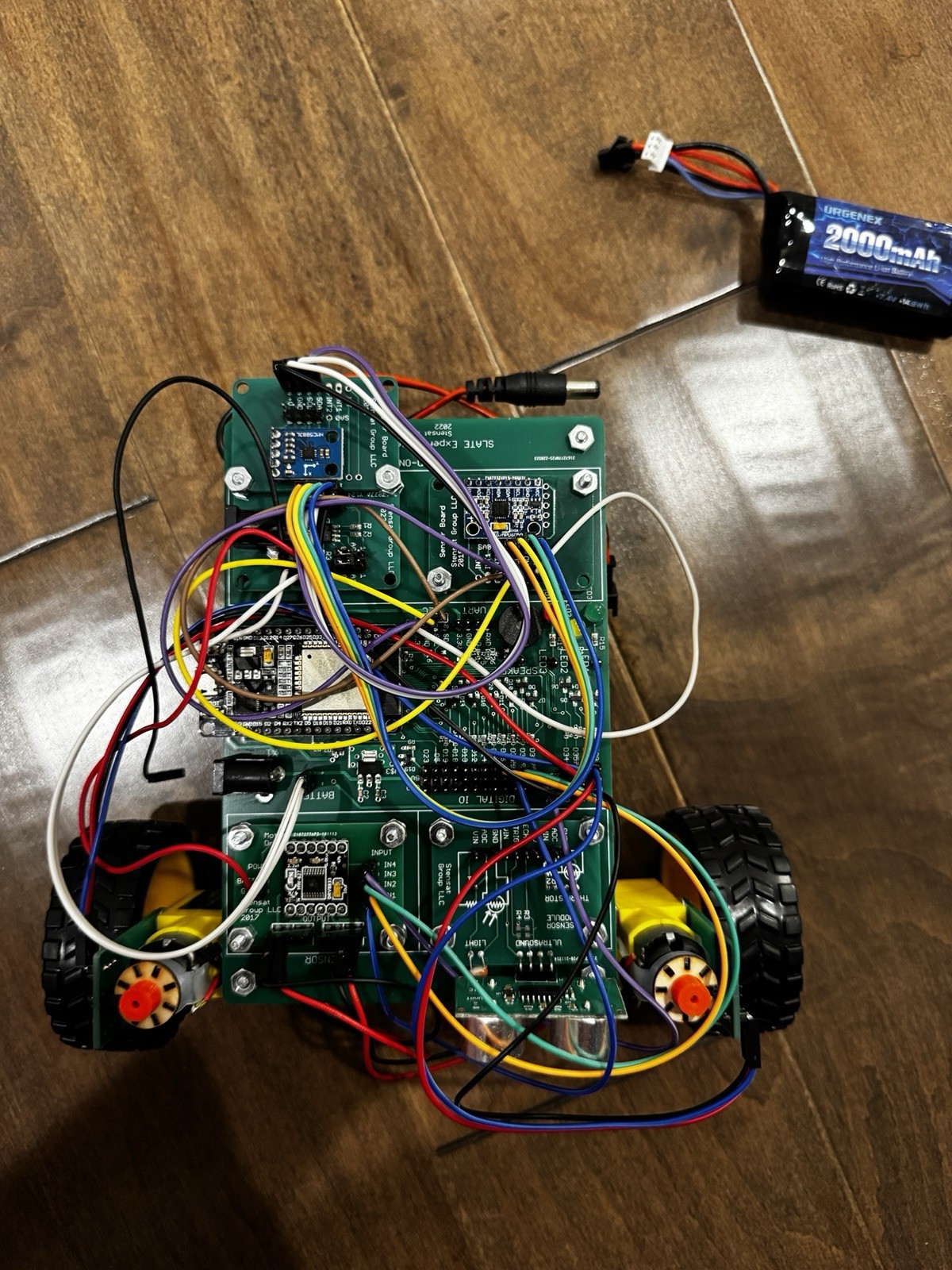
The clearest reason to choose the ESP32 Robotics Kit SLATE Board is its explicit Arduino/ESP32 project focus plus WiFi and Bluetooth on the development board. For someone planning to learn embedded systems through a robot or IoT build, that gives the kit a concrete direction rather than a board-only start. The limitation is the condition and setup: it is used, powers on but is untested beyond that, is sold as-is for parts, repair, or project use, and includes no instructions. The package also says programming and setup may be required. That makes the kit appealing for a hands-on builder comfortable shaping the project, but less suitable for someone seeking a guided, ready-to-follow lesson.
Microchip PICkit 2 Starter Kit
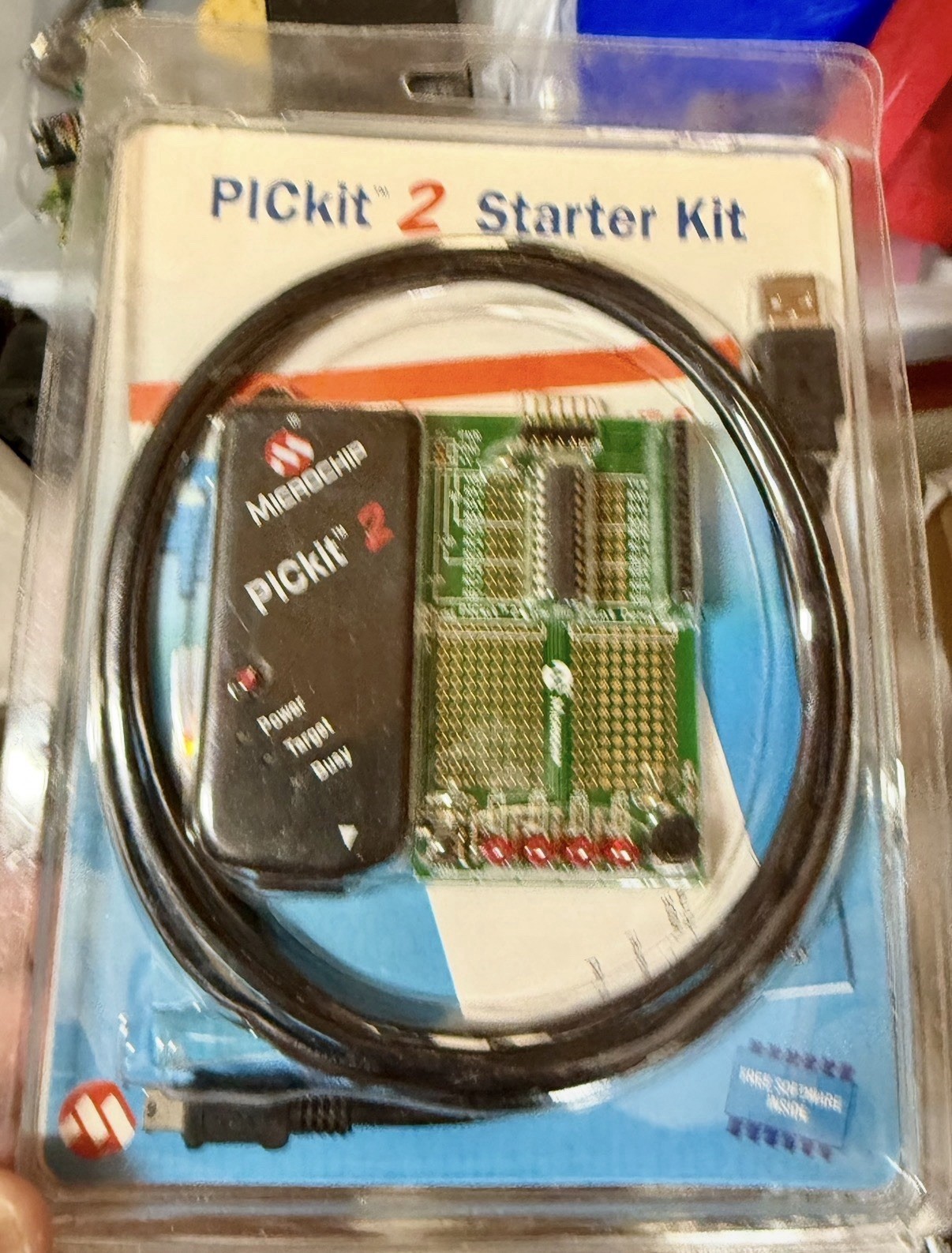
The Microchip PICkit 2 Starter Kit is the more focused choice for learning PIC development. Its concrete setup is a PICkit 2 USB programmer/debugger, a low-pin-count demo board, and PIC16F690 microcontroller; tutorials and example projects are also part of its stated learning purpose. The limitation is that the path is centered on PIC microcontrollers and EEPROM devices, so it suits PIC work more directly than the physical robotics focus of the ESP32 kit. That focus can be useful when the goal is in-circuit programming and debugging rather than building a mobile robot. Its unopened condition and stored history give it a defined starting point, but the format remains centered on the PICkit 2 and demo board.
Final choice by use case
- For a robotics build: Choose the ESP32 Robotics Kit SLATE Board. The Robotics Kit title and its physical project orientation make it the direct match for sensor, motor, chassis, or IoT experimentation.
- For PIC learning or in-circuit debugging: Choose the Microchip PICkit 2 Starter Kit. The Starter Kit title identifies a programmer-and-demo-board format built around PIC development.
- For a lesson-led starting point: The Microchip kit's tutorials and example projects make its learning direction explicit.
- For flexible repair or project work: The ESP32 kit's as-is project framing is the relevant match.
Bottom line: the ESP32 kit is the direct choice for a robotics-oriented build in one package, while the Microchip kit is the clearer choice for focused PIC programming and debugging.