Choosing between microcontrollers & dev boards turns on a practical fork: do you want a straightforward Arduino IDE setup for sensors and simple electronics, or a wireless-focused board with a display and several RF modules? The UNO R3 and ESP32-DIV V2.0 serve distinctly different project briefs, so the right choice depends more on your build than on raw specifications.
Quick verdict
The UNO R3 Board ATmega328P is the clearer choice for learning Arduino IDE projects, wiring basic components, and keeping the purchase focused. Its listed price is USD 6.95.
The ESP32-DIV V2.0 fits a project that specifically calls for WiFi, Bluetooth, NRF24 hardware, and a handheld interface. At USD 91.99, it sits USD 85.04 above the UNO R3, reflecting a much more feature-filled wireless brief rather than a like-for-like comparison.
At a glance
| Decision point | UNO R3 Board | ESP32-DIV V2.0 |
|---|---|---|
| Listed price | USD 6.95 | USD 91.99 |
| Best-aligned project | Arduino IDE learning and simple component builds | Wireless analysis and testing |
| Core direction | ATmega328P microcontroller | ESP32-S3 wireless development board |
Where each one wins
UNO R3: best for a straightforward start
The UNO R3 wins when your first projects involve familiar electronics exercises rather than wireless analysis. Its title specifically combines an ATmega328P board, USB cable, and Arduino IDE compatibility, while the project description names LEDs, buzzers, buttons, and photoresistors. That makes the learning path easy to understand: connect components, upload a program, and build from there. Pin-header support also suits DuPont-line wiring. For a beginner choosing an Arduino development board, the UNO R3 keeps the brief centered on core microcontroller work.
ESP32-DIV V2.0: best for an integrated wireless brief
The ESP32-DIV V2.0 wins when WiFi, Bluetooth, or NRF24 wireless work is part of the goal from the beginning. Its title presents it as a wireless ESP32 development board, and the stated handheld analysis and testing purpose gives it a more specialized direction. Choose it when the project needs those named wireless capabilities rather than a basic Arduino learning setup. The higher price is easier to justify when the wireless focus is essential to the build, not merely an interesting extra.
Product notes
UNO R3 Board ATmega328P
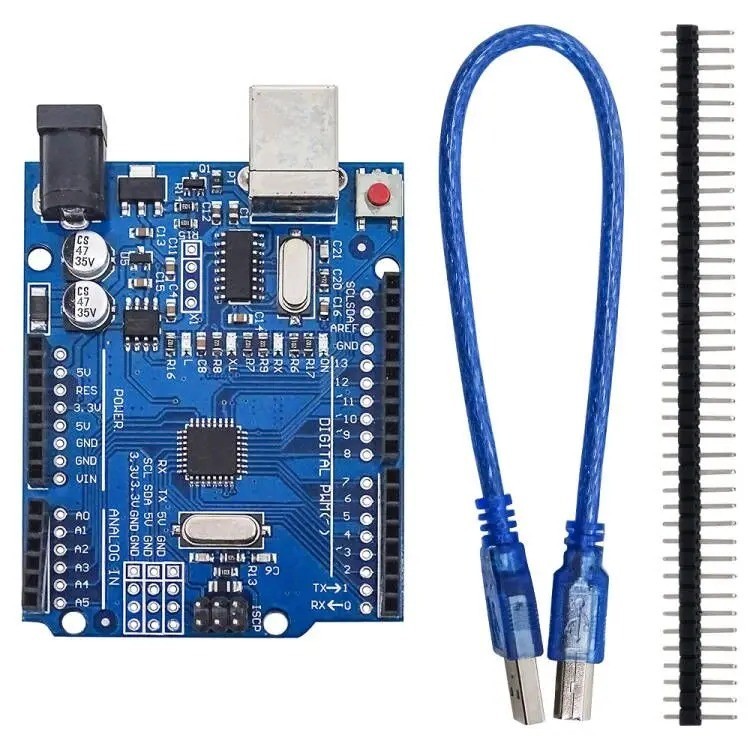
The UNO R3 Board ATmega328P is the practical choice for a first circuit because the package includes a USB cable, pin header, and Arduino IDE compatibility. The USB feature and stated 5V DC and 3.3V output give the build clear connection and power details, while the ATmega328P controller keeps the board aligned with foundational microcontroller work. Its limitation is project scope: a brief explicitly requiring WiFi, Bluetooth, or NRF24 wireless functions points toward the ESP32-DIV V2.0 instead. At USD 6.95, UNO R3 makes the most sense when learning and simple wired experiments matter more than integrated wireless hardware.
ESP32-DIV V2.0 ESP32 Development Board
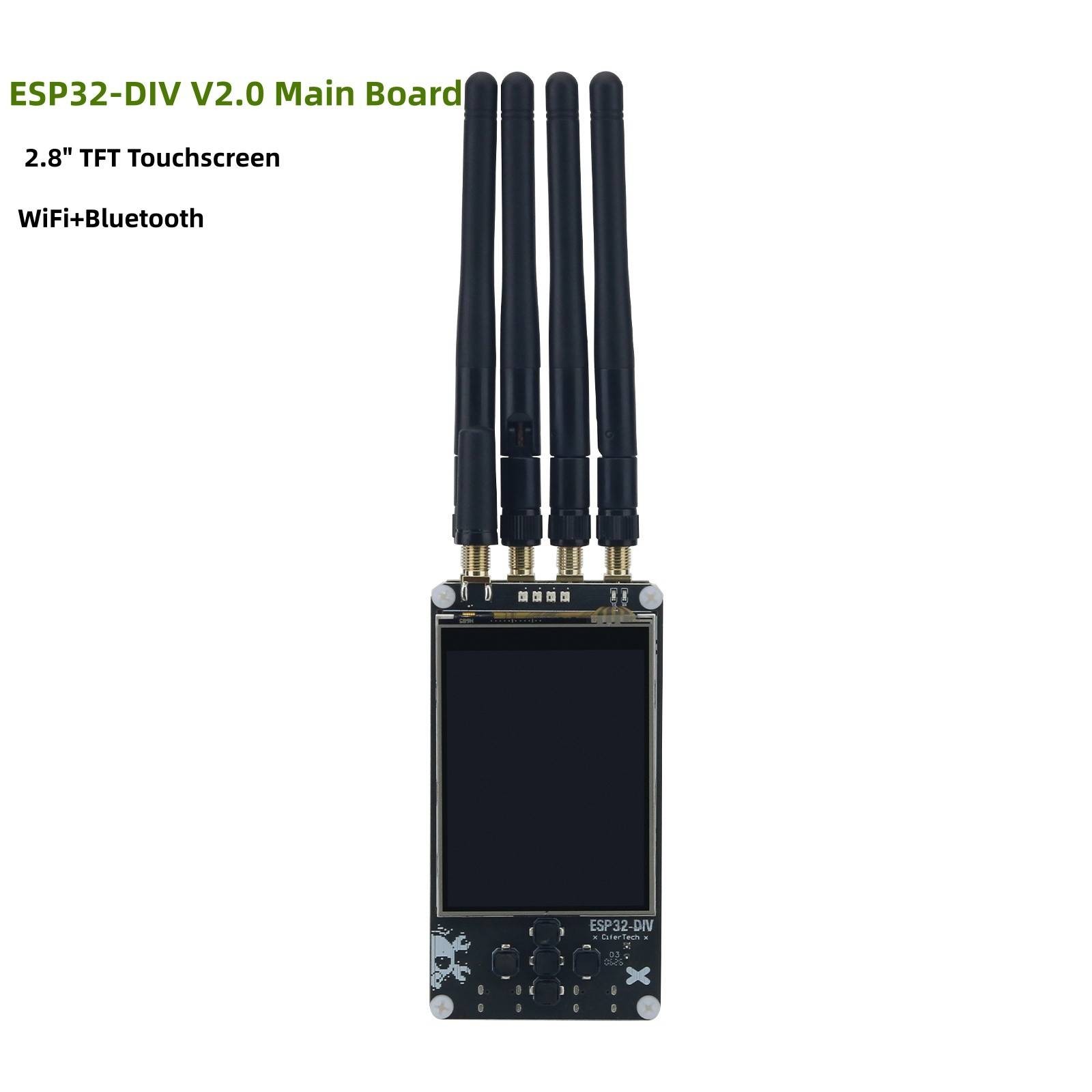
ESP32-DIV V2.0 earns its place when a handheld interface and wireless hardware belong in the same build. The board combines an ESP32-S3 core with 16MB Flash, a 2.8-inch ILI9341 TFT touchscreen, four WS2812B RGB LEDs, and an integrated buzzer. An IP5306 power-management IC is also named for battery charging and power delivery. The main limitation is price: USD 91.99 is USD 85.04 above the UNO R3's USD 6.95. If the task is only introductory Arduino sensor work, the touchscreen, indicators, and wireless hardware may be more than you need.
Final choice by use case
- Choose the UNO R3 for a first Arduino IDE project using the USB cable, pin-header connections, and simple components such as LEDs, buttons, or photoresistors.
- Choose the ESP32-DIV V2.0 when the brief specifically includes wireless analysis or testing, a touchscreen interface, and the RF hardware named for the board.
The decision is straightforward: match the UNO R3's Arduino learning path to basic builds, and reserve ESP32-DIV V2.0 for a wireless, display-equipped project where its additional hardware is central to the plan.